
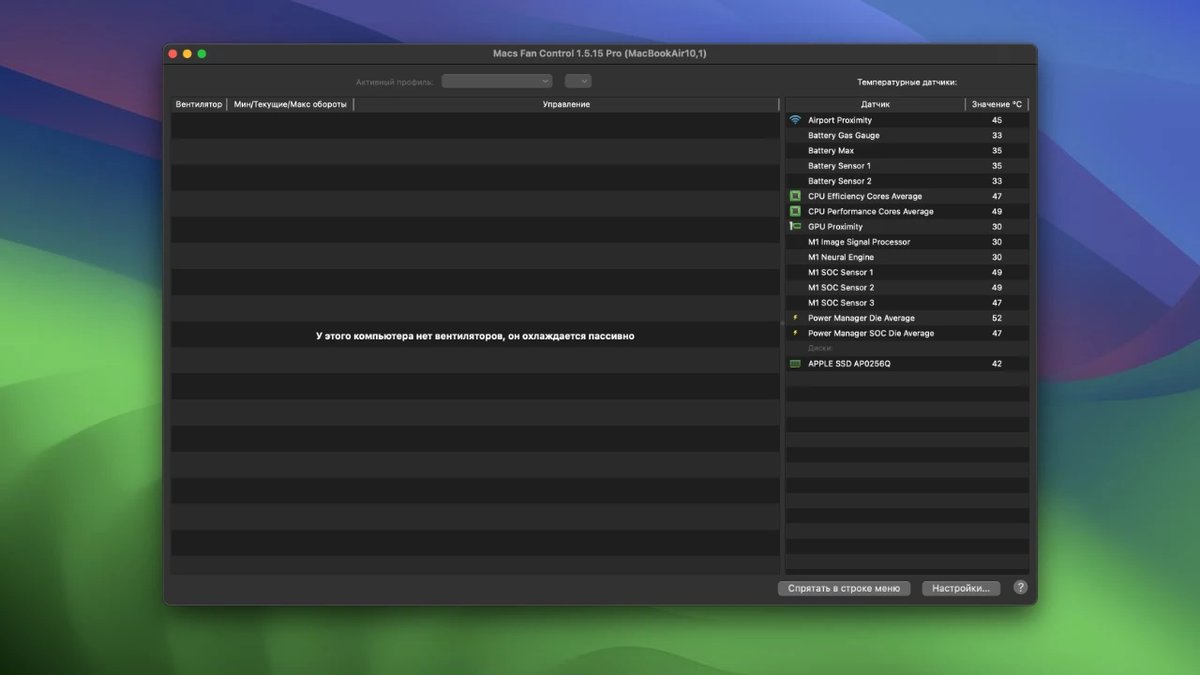
Macs Fan Control for Mac 是一款专为苹果电脑用户打造的风扇控制与温度监控工具,它帮助用户实时追踪Mac设备的风扇速度和多项温度传感器数据,从而有效管理设备热量分布,避免过热导致的性能下降或噪音干扰。这款软件特别适用于MacBook Pro等高性能机型,在视频编辑、编程开发或游戏运行等高负载场景下,提供精准的风扇速度调控选项,让用户自定义RPM值或基于特定传感器自动调整,确保Mac电脑始终保持凉爽高效的状态。同时,它支持第三方硬盘的S.M.A.R.T温度监测,并兼容Intel和Apple Silicon架构,界面简洁直观,支持多语言切换和菜单栏实时显示,深受专业用户青睐。通过优化风扇控制策略,Macs Fan Control不仅延长了硬件寿命,还提升了整体使用体验,成为Mac风扇管理和温度监控领域的可靠选择。
发展历程
Macs Fan Control 自2013年推出首个beta版本以来,不断演进以适应苹果生态的变化。早期版本主要针对Intel架构的Mac,提供基本风扇速度监控和手动调控功能。随着苹果转向Apple Silicon,软件快速更新支持M1、M2系列芯片,并在后续迭代中加入自定义预设和自动模式切换。进入2020年代,开发团队聚焦于兼容新硬件,如Mac Studio和Mac mini的M2 Pro/Max支持,并优化Windows Boot Camp下的运行稳定性。到2025年,版本1.5.20进一步扩展到M5 MacBook Pro,融入暗黑主题和多语言改进,标志着软件从简单工具向全面温度管理解决方案的转型。多年来,通过用户反馈和GitHub问题追踪,Macs Fan Control 持续修复bug并添加新特性,确保在macOS最新版本中的无缝兼容。
主要功能
1. 实时监控风扇速度和温度传感器,包括CPU、GPU和硬盘数据。
2. 自定义风扇转速设置,支持常量RPM或基于温度传感器的自动调节。
3. 创建并保存风扇预设,方便根据不同任务快速切换控制模式。
4. 菜单栏显示关键温度和风扇信息,便于随时查看设备状态。
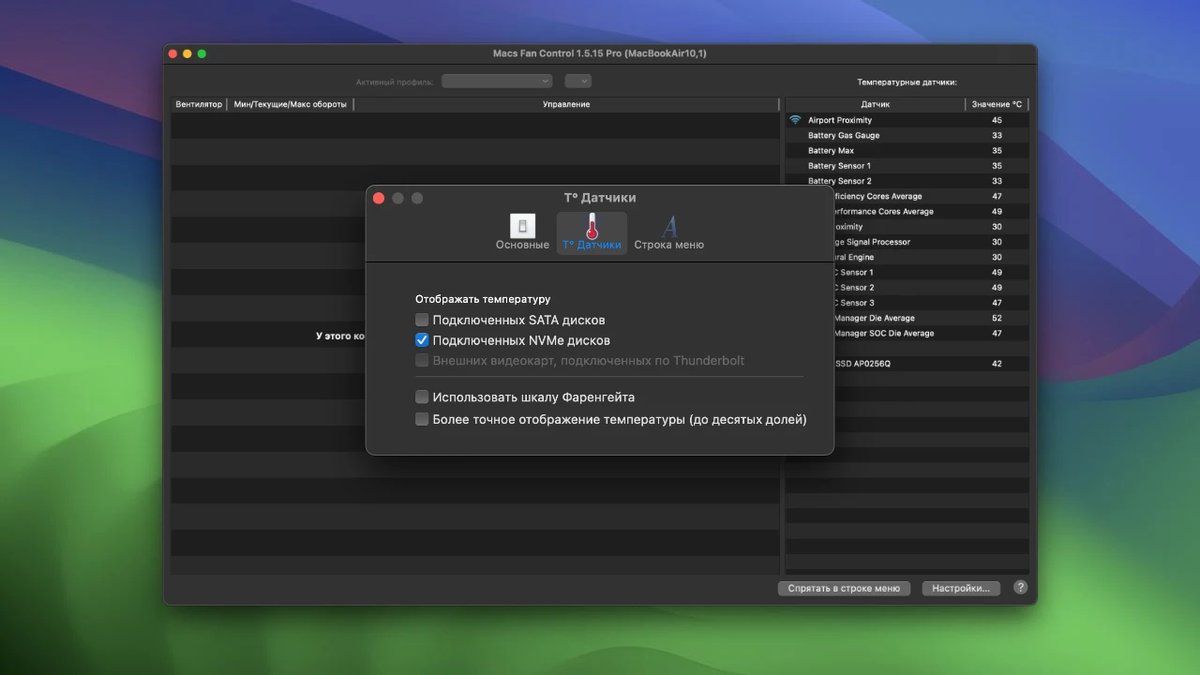
5. 支持第三方硬盘S.M.A.R.T监测,确保全面硬件温度覆盖。
6. 兼容Windows Boot Camp,提供跨平台风扇控制体验。
7. 自动恢复系统默认风扇模式,退出软件时无需手动重置。
用户评价
"It is a great app. I have an Intel Mac Pro. I bought it on 2011. It shuts down on high temperature and there is nothing I can do but this wonderful app cools down my Mac's temperature so my Mac doesn't shut down by itself anymore. It's fantastic to see all sensors temperatures and adjust RPM's on it as desired by watching all sensonrs temp and fan's rpm. Thank you very much for this app."
—— pedrodiazpavon(★★★★★)
"no idea, but also never had an issue... nothing needs to be improved, the feedback wouldn't let me send the feedback without suggestion for improvement."
—— robertpfei(★★★★★)
"Saved my old Macbook Pro! I thought my 2015 Macbook Pro was going to go to the scrap yard. It was overheating quite a bit. At first, and for some time, I didn't realize that it was super overheating even to the point of shutting down on occasion. I hate to give up on anything until I've exhausted every avenue to fix the device. Some how I google searched with the right key words and wal Ah! the 'Mac Fan Control' came up. I installed it and all my overheating problems were solved! Get it and you won't be sorry!"
—— heihnstudios(★★★★★)
"I’ve been using Macs Fan Control on my Intel Mac for a long time, and it has easily become one of the most valuable tools in my video-editing workflow. The app gives me full control over the fan speeds and keeps the temperatures down even during heavy export sessions in Premiere Pro. Without this app, my machine would run much hotter and slow down far more often, but with custom fan profiles I can optimize performance instantly. It’s stable, easy to use, and does exactly what it promises."
—— ThomasKrajewski(★★★★★)
"Well implemented app that helps you keeping a close eye on temperatures of your mac components."
—— UncoySep(★★★★☆)
常见问题(FAQ)
问:如何安装Macs Fan Control软件?
答:从官网下载安装包,双击打开并按照提示完成安装过程,重启电脑即可使用。
问:软件是否支持免费使用?
答:基础版本完全免费,Pro版本提供额外自定义预设和优先支持功能。
问:Macs Fan Control兼容哪些Mac型号?
答:支持所有Intel和Apple Silicon Mac,包括最新M5系列,确保全面硬件兼容。
问:如何设置自定义风扇预设?
答:在软件界面选择自定义模式,调整RPM或传感器关联后保存预设,即可快速应用。
问:退出软件后风扇设置会变化吗?
答:软件退出时会自动恢复系统默认风扇模式,无需手动干预。





全部评论0